Context V3.0
Good setups fail in the wrong kind of market. Context V3.0 reads the higher Context timeframe and the timeframe you trade, then gives one answer: which ZynAlgo TrendLine mode fits now, or Stand aside.
Key benefits
- Two timeframes, one decision - the higher-timeframe regime (Trend, Breakout or Range) and your trading-timeframe state (the same green / red / yellow candles as TrendLine) become one TrendLine recommendation, with BUY only or SELL only when direction matters.
- Steadier reads - price moving inside the same range no longer flips the mode.
- Stand aside on spikes - after a news-type volatility spike, Context tells you to wait instead of jumping to another mode.
- A filter you can act on - Location, Avoid and Watch show where price sits, the mistake to skip and the level that would change the read.
How it works
Context scores Trend, Breakout and Range on the higher timeframe and reads your timeframe with a balance-regime model. A fixed rule table combines the two; price location only updates the Avoid line. The full breakdown is in the Manual.
What's included
TradingView indicator (Pine v6 overlay): dashboard, Context-timeframe range lines and four alerts. Access granted to your TradingView username. Pairs with ZynAlgo TrendLine, sold separately.
Best for
Intraday forex, gold, indices and crypto on M1 to H1; TrendLine users and traders who already have an entry method.
Browse the ZynAlgo marketplace
Trading involves risk; this indicator provides market context only and is not financial advice.
Context V3.0
Context V3.0 is the decision layer for ZynAlgo TrendLine on TradingView. It reads the market on two timeframes and tells you which TrendLine mode fits right now, or that it is time to stand aside. It does not generate BUY/SELL signals itself.
Why Context V3.0 reads two timeframes before any entry
A setup that works in a range fails in a trend, and the reverse. Most traders know this, but they judge "what kind of market is this" from the chart they trade on, and on a 3- or 5-minute chart every pullback looks like a reversal and every pause looks like a range. Context V3.0 separates the question into two readings and only then combines them.
Two layers, two jobs:
- Context - the decision layer. Reads the market on two timeframes and recommends the TrendLine mode and settings to run.
- TrendLine - the execution layer. Prints the actual entry, stop loss and take-profit levels on your trading timeframe.
You do not need Context to run TrendLine. What Context adds is filtering: it keeps you out of setups that do not fit the current market, and it tells you when to wait.
Context V3.0 works in three layers:
- Context timeframe regime - one step above the timeframe you trade (M1 to M15, M3 to M30, M5 to H1, M15 to H4, H1 to D1). The market is read as Trend Up, Trend Down, Breakout or Range.
- Trading timeframe state - your own timeframe, read as Rising (green), Falling (red) or Balanced (yellow). These are the same candle states TrendLine uses, so the dashboard and the TrendLine candles always agree.
- Location - where price sits inside the active range, or how far it has run from the 20 EMA. Location never changes the recommendation; it only changes what you should avoid.

XAUUSD M5, Context timeframe H1. The H1 market is a Range (red and green lines), the M5 candles are Rising, so the recommendation is Mode 4 Range. Price is in the middle of the range (0.35), so the Avoid line says not to trade there yet, and Watch shows the two H1 closes that would end the range.
The role of each layer
How the Context timeframe regime is decided
Every Context-timeframe bar, three regimes are scored on the same 0-100 scale:
- Trend - EMA 20 / 50 / 200 stacked in order and sloping, swing structure agreeing with the daily EMA stack, and price holding the right side of EMA 50. Losing EMA 50 or chopping around EMA 20 takes points away.
- Breakout - a confirmed exit from a range, or a break of the last swing pivot with a full-bodied candle at least one ATR wide that closes beyond the previous bar. A breakout is an event, not a state: without a fresh break it only counts half, and a failed break is penalised.
- Range - an active range (a daily inside bar, or 24 bars contained within 4 ATR), flat EMAs, contracting volatility and stalled continuation after an impulse.
Scores are smoothed over 3 bars. The regime you are in gets an inertia bonus and a minimum hold in bars, and a challenger has to lead by a clear gap before the regime changes - a wider gap in quiet markets. While price is still inside a confirmed range, Range is only released by a real breakout. All Context-timeframe values come from closed bars, so the reading does not repaint.
What changed from earlier versions, and why it matters:
- Location no longer moves the regime. Before, price drifting from the edge of a range to its middle could flip the read even though the market had not changed. Now the edge or middle of a range only changes the Avoid line.
- Volatility alone is no longer a regime. A news spike used to push the read towards a momentum phase right when signals are least reliable. Now a spike means Stand aside.
How the trading timeframe state is decided
The trading timeframe uses a balance-regime model: a typical-price equilibrium weighted towards small, accepted bars, its drift over 8 bars measured in long-ATR units, and how straight price has travelled over 20 bars. The state turns Rising or Falling above a set threshold and only returns to Balanced well inside it, so it does not flicker.
How the recommendation is kept steady
- A new recommendation must hold for 2 trading-timeframe bars before it replaces the current one.
- Each recommendation stays for at least 2 Context-timeframe bars (one hour on an M3 chart).
- A volatility spike - one trading-timeframe bar wider than 3 x ATR(14), or ATR at twice its own average - switches to Stand aside at once, for 10 trading-timeframe bars.
- Changes today on the dashboard counts how many times the recommendation changed since the start of the day.

XAUUSD M5 after a sharp sell-off, Context timeframe H1. H1 is in Trend Down and M5 is Falling, so the recommendation is Mode 1 Trend Pullback, SELL only, with Follow Trend ON. Price has already dropped below the old range (-0.74), so Avoid says the move is extended - wait for a pullback - and Watch gives the H1 close above EMA 50 that would weaken the trend.
Reading the TrendLine recommendation
The rule table
- Context timeframe in a Range - Mode 4 Range, whatever the trading-timeframe colour. Trade the edges; the Avoid line tells you which edge.
- Context timeframe in a Trend - Mode 1 Trend Pullback in the trend direction only (BUY only or SELL only), as long as the trading timeframe is moving with the trend or is balanced.
- Context timeframe in a Breakout - Mode 3 Reversal in the breakout direction only, catching the move as price leaves balance.
- Stand aside - when the trading timeframe runs against the higher-timeframe trend or breakout, after a volatility spike, or when there is no clear direction.
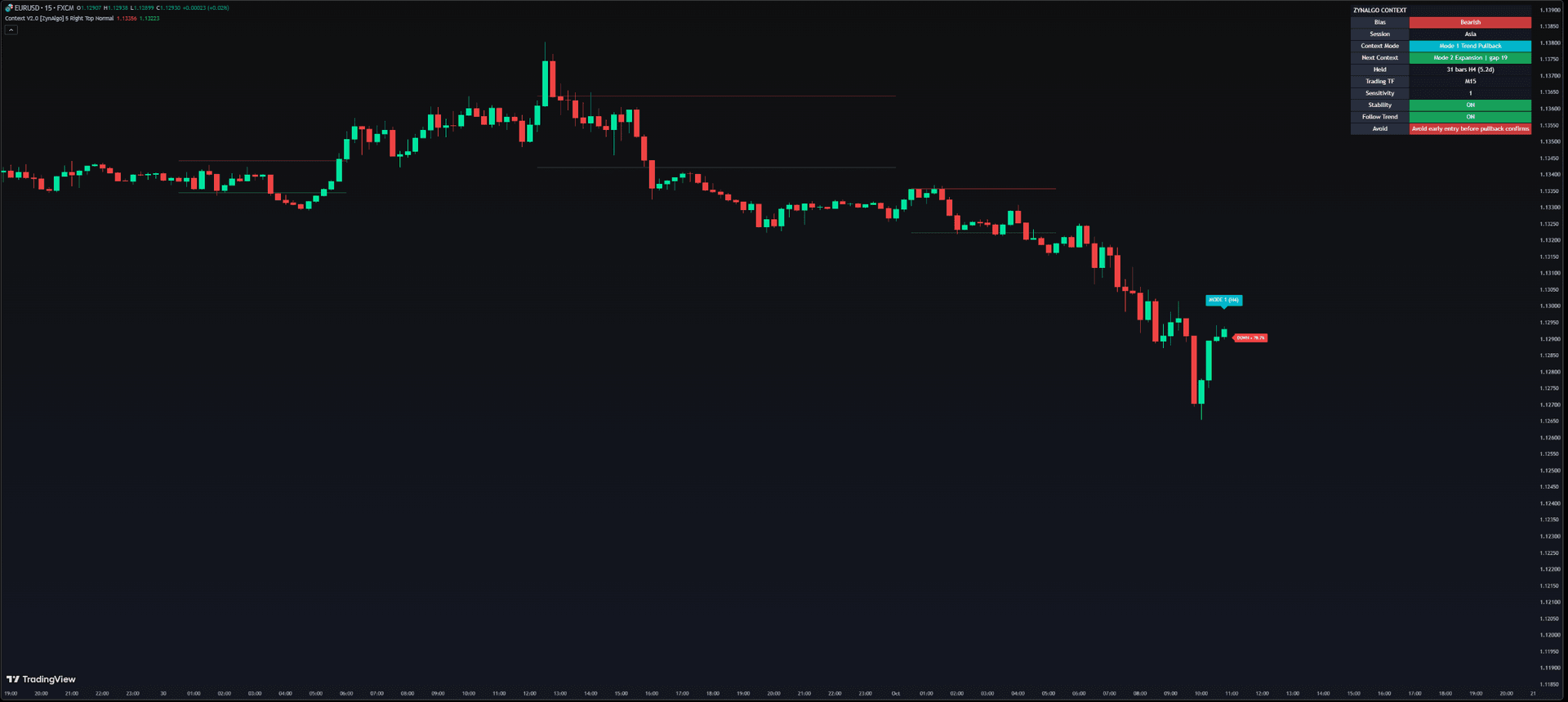
The dashboard, top to bottom
- Bias - direction of the Context timeframe and how dominant it is (50-95%). A strength reading, not an entry.
- Session - Sydney, Asia, London, New York or Off Session.
- Context TF - the regime and how many Context-timeframe bars it has held.
- Next - the strongest regime that is not active, and its score gap. A small gap means a change is close. Prepare, do not act on it.
- Trading TF - Rising, Falling or Balanced on your timeframe, and for how many bars.
- TrendLine - the recommendation.
- Why - the two readings that produced it.
- Sensitivity / Stability / Follow Trend - the TrendLine settings for that recommendation.
- Location - edge, middle, above or below the range, with the exact position.
- Avoid - the mistake to skip right now.
- Watch - the level or event that would change the read.
- Changes today - how often the recommendation changed today.
The red and green lines on the chart are the active Context-timeframe range high and low.
The working sequence, every session
- Keep Trading Timeframe on Chart and open the timeframe you actually trade.
- Read Context TF, then Trading TF, then the TrendLine line.
- Apply the recommended Mode, Sensitivity, Stability and Follow Trend to TrendLine.
- Read Avoid before every entry. If it describes where price is now, skip the signal or reduce size.
- During Stand aside, open no new trades.
- A trade opened under one recommendation is managed to the end with the settings it was opened with.
- Set the TrendLine Mode Changed alert so you know when to re-check.

XAUUSD M15, Context timeframe H4. H4 is in Trend Down, but the M15 candles are Rising - the two timeframes disagree, so the recommendation is Stand aside and the TrendLine settings are blank. Avoid reads "Timeframes disagree - wait".
Is Context V3.0 right for you?
Context V3.0 is built for traders who already know how to enter, but keep entering in the wrong kind of market:
- ZynAlgo TrendLine users who want the mode and settings chosen by market structure instead of guesswork
- Intraday traders on M1, M5, M15 or H1 who want a stable higher-timeframe read without opening a second chart
- Traders who would rather be told to wait than take a trade the market does not support
- Any TradingView symbol - forex, gold, indices, crypto and commodities; the logic is pure price structure
It is not the right tool if you want a standalone buy and sell signal generator - Context does not produce one, and no indicator removes the risk from a trade. Regimes are recognised after they start, and the stability rules make the recommendation deliberately slow to change; the volatility filter reads price only, so check scheduled news yourself.
The market only offers a few kinds of opportunity at any one time. Knowing which one is on the table - and when none is - is what stops you forcing a trade.
Browse the ZynAlgo marketplace
Trading involves risk. Context provides market context only and is not financial advice. It does not predict future price movement.
- Context v1Aug 13, 2026
Why your trend entries fail when market phase changes
You take a clean pullback entry in an uptrend, then price chops sideways and stops you out. The setup was valid; the phase was wrong. Learn how reading market context before entering prevents signal-context mismatch.
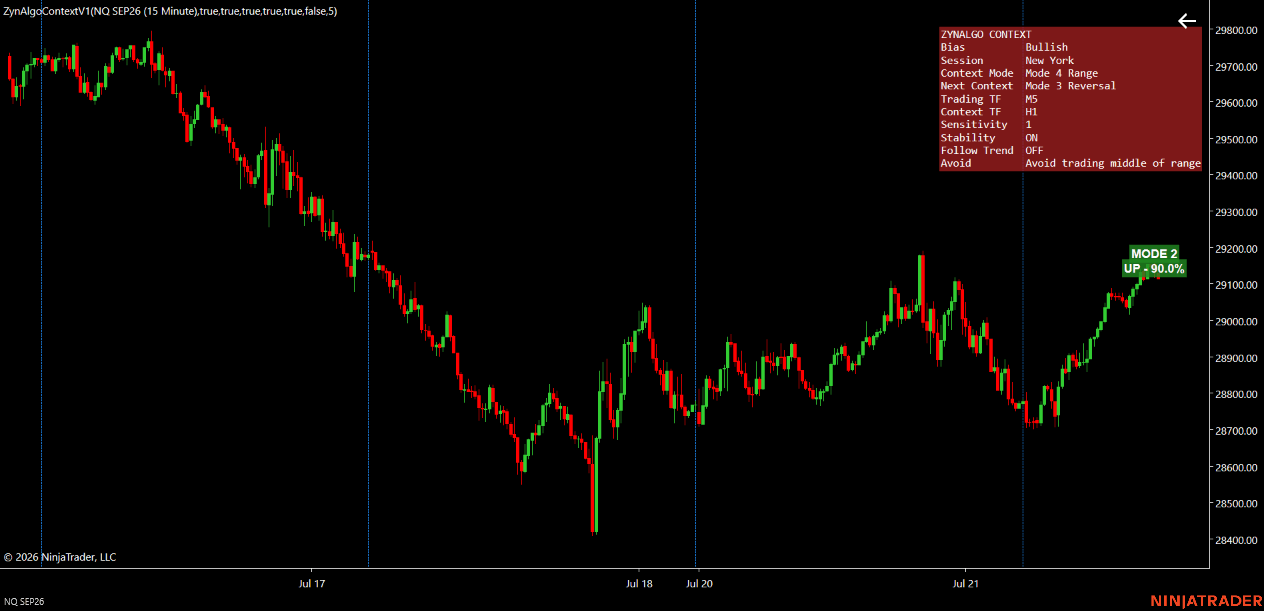
Why Your Best Entry Setups Work One Day and Fail the Next
The same pullback entry that printed profit yesterday gets stopped out this morning. This article explains why market phase changes turn good setups into losses, and how Context NT8 reads structure to help you trade the conditions you actually have.