How to Choose a Scalping Indicator for TradingView: 7 Checks Before You Buy
Quick answer: a good scalping indicator for TradingView confirms its signals on the closed candle, filters out low-quality setups instead of firing on every bar, draws a stop loss and targets with every signal, lets you limit trading to the sessions you actually trade, and sends alerts you can act on. If a tool fails any of those, the screenshots on its sales page will not survive a week of live trading.
Scalping on M1 to M30 is the hardest place to use an indicator. Spreads are a large share of every move, noise is constant, and a tool that prints an arrow on every candle simply hands the hard decision back to you. Below are the seven checks we use when judging any scalping tool on TradingView, followed by how Scalper Pro v4 handles each one.
The 7-point checklist
1. Are signals confirmed on the closed candle?
An arrow that appears mid-candle and then disappears when the candle closes is useless for scalping, because you either entered on something that no longer exists or you missed it. Look for a clear statement that signals lock when the candle closes, then verify it yourself: put the indicator on a live M5 chart, note every signal for an hour, and check that none of them moved or vanished.
2. Does it filter, or just signal?
On low timeframes the problem is never finding entries. It is refusing the bad ones. A useful scalping indicator combines several independent conditions (trend direction, momentum, volume, market structure) and stays silent when they disagree. Ask how a signal is qualified. If the answer is a single crossover or a single oscillator level, expect a lot of noise.
3. Does every signal come with a stop and targets?
Scalping decisions happen in seconds. If you have to work out the stop loss and take-profit after the arrow appears, you will be late or inconsistent. The better tools draw the entry, a volatility-based stop (usually ATR) and one or more targets the moment the signal confirms, so risk is defined before you click.
4. Does it know when the market is ranging?
Most scalping losses come from tight, directionless ranges where every breakout fails. Look for a sideways or range filter that blocks signals when the market is compressed, rather than leaving it to you to notice.
5. Can you restrict it to your sessions?
Gold at the London open and gold in the late Asian session are different markets. A session filter (Asia, London, New York, killzones or a custom window) keeps the tool quiet when you are not trading and stops it from training you on hours you will never trade live.
6. Are the alerts usable?
You cannot watch six charts on M5 all day. Check that the indicator supports TradingView alerts on confirmed signals, and that the alert text tells you the direction and levels, not just "signal".
7. How is it delivered and supported?
Paid TradingView indicators are normally invite-only scripts: you buy, then the seller grants access to your TradingView username. Check how fast access is granted, whether there is a full manual explaining every input, and whether you can reach a real person when something is unclear.
How Scalper Pro v4 answers each check
- Closed-candle signals: signals confirm when the candle closes and do not repaint afterwards.
- Filtering first: every raw setup is graded on a 0-100 Signal Score built from trend alignment (EMA 20/50/200), ADX, RSI 14, volume against its 20-period average, EMA 200 bias and setup quality. Anything below your minimum score (default 60) never reaches the chart.
- Three setups, one signal: trend continuation, reversal at a demand/supply pivot with RSI divergence, and breakout-retest confirmation. Only the highest-scoring qualifying setup prints.
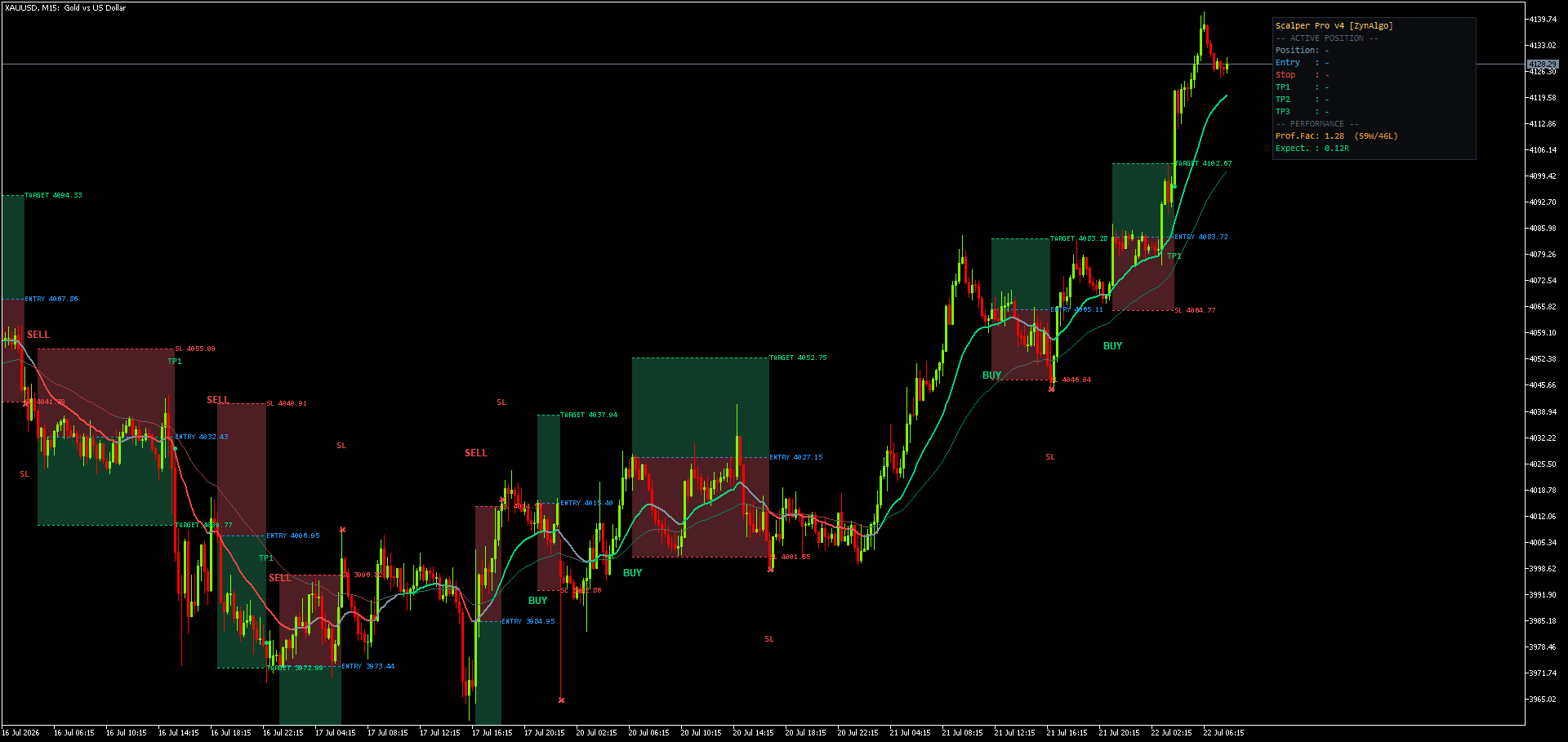
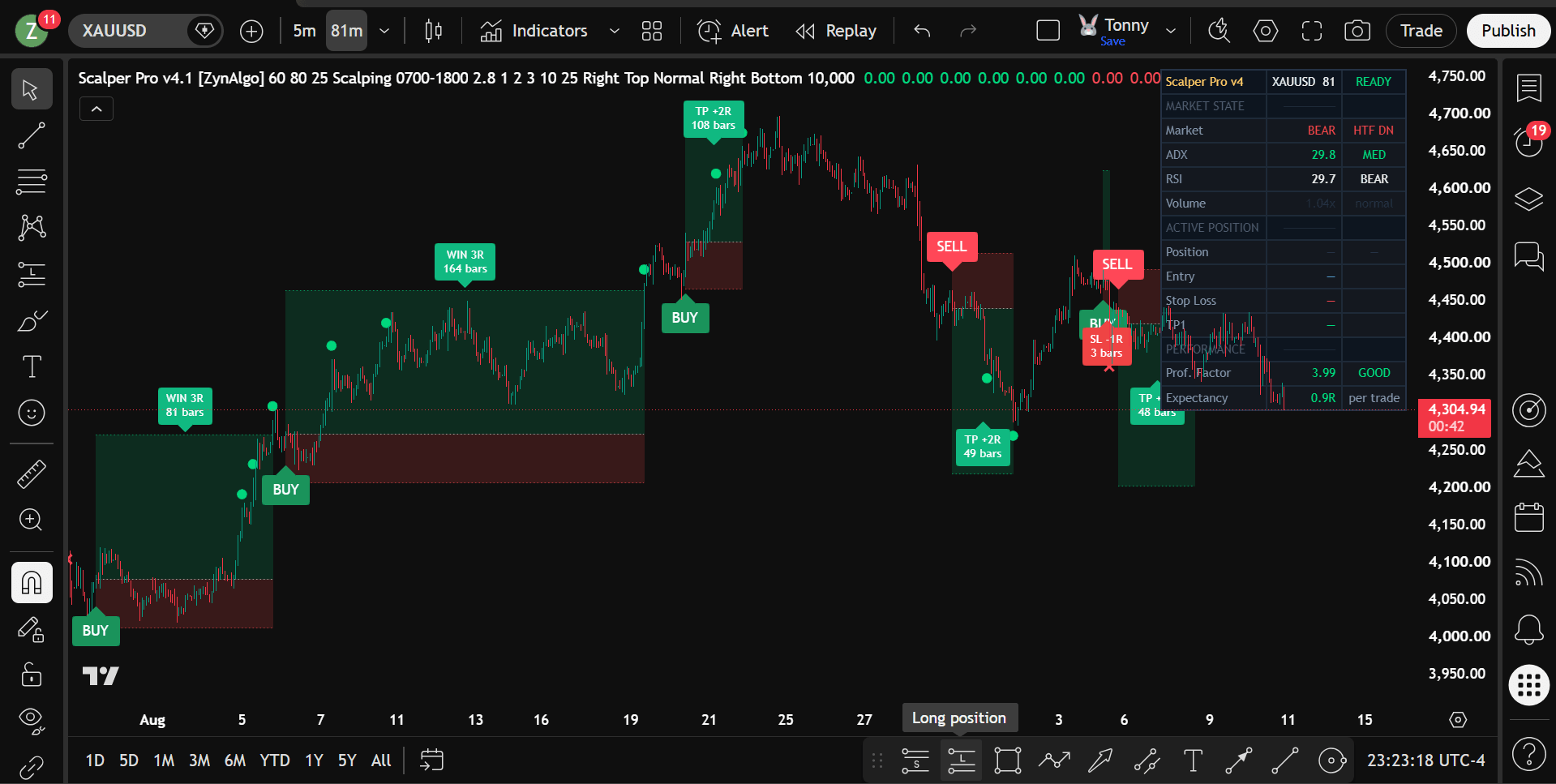
- Stop and targets: each signal arrives with an entry, an ATR-based stop loss and up to three R-multiple targets drawn on the chart.
- Range protection: a sideway lock blocks signals when the market is range-locked or the EMA structure goes flat, and an anti-flip filter stops the indicator reversing its own call unless the new signal is materially stronger.
- Sessions: restrict signals to Asia, London, New York, killzones or a custom window.
- Delivery: invite-only TradingView script, granted to your TradingView username as soon as payment completes, with a full manual on the product page.
Scalper Pro v4 TDV
Filter scalping entries by matching trend alignment, momentum, volume and market structure before any signal reaches your chart.

Who it suits
Scalper Pro v4 is built for intraday traders on M5 to M30 who trade gold (XAUUSD), indices such as NAS100, large-cap crypto such as BTCUSD and major FX pairs such as EURUSD, and who want a selective, rules-based entry model rather than constant signals. If you want an arrow on every candle, this is the wrong tool: it is designed to stay quiet most of the time.
Frequently asked questions
What is the best timeframe for a scalping indicator on TradingView?
M5 to M15 is the usual sweet spot. M1 is dominated by spread and noise for most retail traders. Scalper Pro v4 is designed for M5 to M30.
Is there a good scalping indicator for gold (XAUUSD) on TradingView?
Gold moves fast around the London and New York opens, so the tools that work best combine a session filter with a volatility-based stop. Scalper Pro v4 includes both, and XAUUSD is one of the markets it is built for.
Does a scalping indicator guarantee profitable trades?
No. Any indicator, including this one, is an analysis tool. It can make your decisions more consistent, but losing trades are part of scalping and results depend on your execution, risk management and market conditions.
How do I get access after buying?
Buy on the Scalper Pro v4 product page, set your TradingView username on your ZynAlgo account, and the script appears under Invite-only scripts in your TradingView Indicators panel.
Trading involves risk
Indicators are analysis tools, not financial advice. Past price behaviour does not predict future results. Trade only with capital you can afford to lose, and always use a stop loss.
Scalper Pro v4 TDV
Filter scalping entries by matching trend alignment, momentum, volume and market structure before any signal reaches your chart.