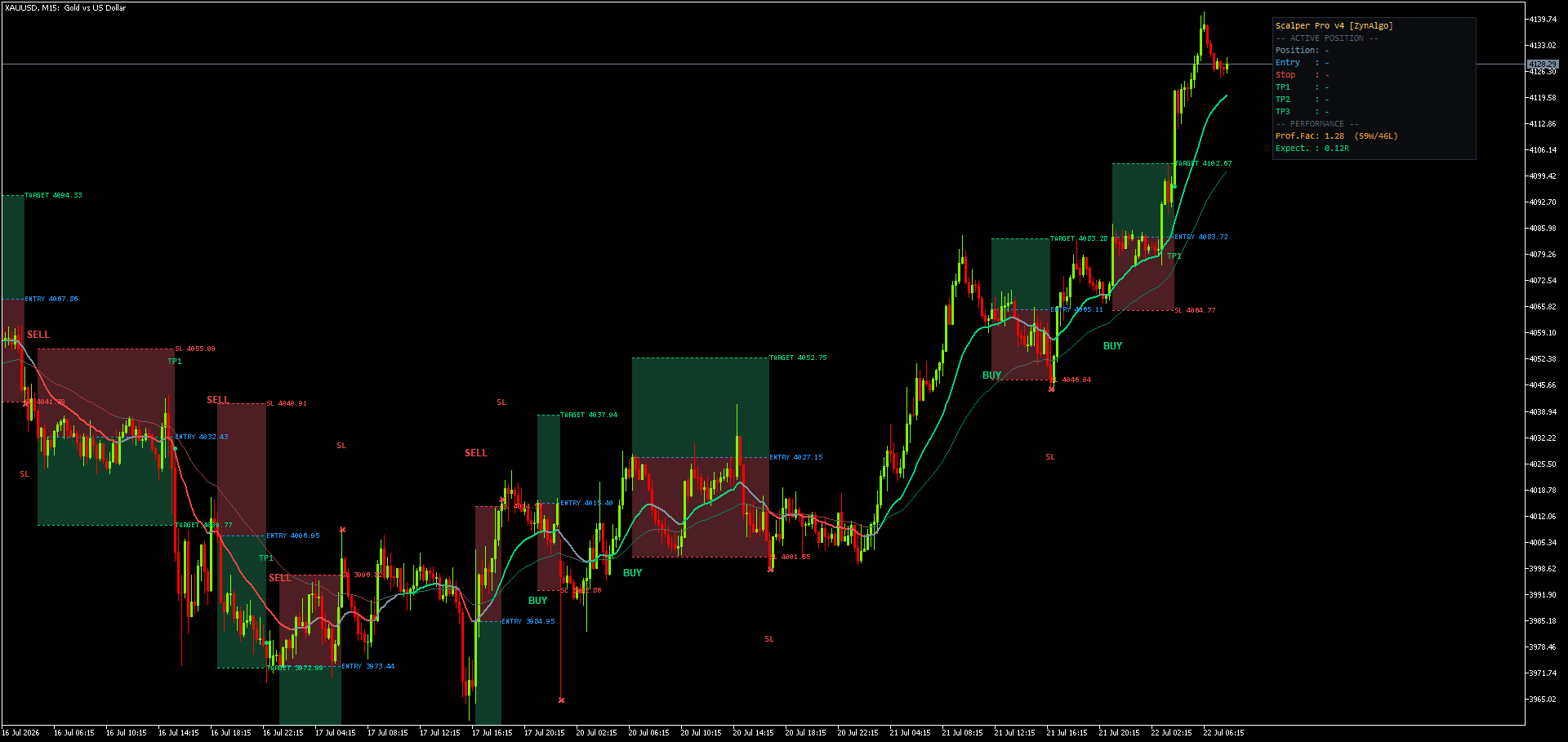
Avoid Moving Average Crossover Whipsaw NinjaTrader: How HalfTrend Pro Reads Structure
The 5-minute chart that keeps flipping on you
You are watching NQ on a 5-minute chart. Two moving averages cross, you take the long, and three bars later they cross back the other way. Price never really went anywhere. It just wobbled across both lines while you paid the spread twice and sat with a small loss.
That is not bad luck. That is how a crossover is built. The lines only know the last few closes, not whether the market actually broke a high or a low. Every time price drifts sideways through them, they flip, and you get a signal that has nothing to do with a real change in direction.
The fix is not a faster moving average or a third confirmation line. It is a definition of "trend changed" that does not reset on every wobble.
What HalfTrend Pro puts on your chart instead
HalfTrend Pro NT8 holds a directional state rather than recalculating a line every bar. It only changes that state when the recent structural high or low is genuinely taken out, and a variance filter decides how much movement counts as a genuine break versus noise inside the range. Between flips, the state simply holds. Price can chop for twenty bars and the tool says nothing new, because nothing structural changed.
When the state does flip, a BUY label prints below the bar for a bullish turn, or a SELL label above it for bearish. One label per flip, not one label per bar that agrees with the current direction. If you are counting labels across a session and the count is low, that is the tool working as intended, not a bug.
Two inputs control how sensitive that flip is:
- Structural lookback sets how much recent price structure the engine checks before accepting a change. The useful range is small, roughly two to four. Lower reacts sooner and produces more flips; higher waits for stronger confirmation.
- Variance filter sets how much movement counts as a real break rather than noise. Raising it removes marginal flips at the cost of entering later.
Those two settings are the entire tuning surface for how often you see a signal. There is no third dial hiding underneath.
Trading a flip in a real session
Say the state flips bullish midway through the NQ morning session. HalfTrend Pro does not just print a label and leave you to work out the trade. It projects three reference levels with it:
- An entry reference taken from the flip bar.
- A protective level set at a volatility-based distance, so it widens or tightens with current conditions instead of sitting at a fixed number of points.
- A target placed at the risk-to-reward ratio you configured against that protective distance, typically somewhere between 1.5 and 3.0.
The volatility expansion factor is the dial behind the protective level: tighter keeps risk controlled but gets stopped more often, wider gives the trade room at the cost of a bigger loss if it fails. There is also a reversal option. Turn it on and an opposite signal closes the current idea automatically, which fits a continuous trend-following approach. Turn it off and you manage the exit yourself.
The habit to build here is treating the label as a record of when direction changed, not as a fresh entry every time you notice it. A label three bars old marks a flip three bars ago, and the move already started without you if you wait to react to it late.
HalfTrend Pro NT8
Project entry, protective level and target on each trend-state flip, sized from current volatility and your risk ratio on NinjaTrader 8.

Who this fits
HalfTrend Pro suits a trend trader who wants one clear directional read instead of three indicators arguing on the same chart, and who would rather plan the stop and target before entering than eyeball them after. It also fits someone tired of a crossover system generating an alert on every minor wiggle and wants the signal count to drop to something they can actually act on.
What it does not do
This is a trend-following tool, and that comes with an honest trade-off. It waits for structure to break before it changes its mind, which means it will lag a sharp, fast reversal. It also does not solve range conditions: if price is genuinely rotating with no structural break in either direction, the state can still flip back and forth as that structure gets tested from both sides.
It does not read multiple timeframes for you, and it does not tell you position size beyond the risk ratio you configure into the protective and target levels. It is a NinjaTrader 8 tool built for one chart and one directional read on that chart, not a full trade-management or portfolio system. If your problem is choppy, non-trending conditions rather than crossover whipsaw specifically, a directional state tool alone will not fix that.
Pairing it with the rest of your NinjaTrader setup
Because HalfTrend Pro answers direction and not market condition, it pairs naturally with a tool built for the other half of that question. Quant Regime Classifier NT8 is built to read whether the market is currently trending or ranging, which is useful context for deciding how much weight to give a fresh flip. Tick Delta Pro NT8 looks at order flow rather than price structure, so it can serve as an independent read alongside a state flip rather than another version of the same signal.
Trading risk
Trading involves risk, and nothing in this article is investment advice. The labels and projected entry, stop and target levels from HalfTrend Pro are planning references only. They do not guarantee an outcome, and a trend-following signal can still lag a reversal or whipsaw during choppy, range-bound conditions.
If the crossover flip-flop above sounds like your last few sessions, HalfTrend Pro NT8 is built specifically for that problem. You can see the full setup details at https://zynalgo.com/b/ptWfi.
HalfTrend Pro NT8
Project entry, protective level and target on each trend-state flip, sized from current volatility and your risk ratio on NinjaTrader 8.